A prospect comparing firms
Place a callback invitation alongside your accountancy services so a visitor can discuss what they need. Your team accepts the call first, then speaks to the prospect and establishes the scope of the enquiry.
Website callbacks for accountants
New enquiries can arrive while your team is in meetings or concentrating on client work. Give website visitors a clear way to request a conversation, with calling hours and scheduling that reflect when someone at your firm can actually respond.
No setup fee. Verify your email, choose a plan and add a card to start your trial.
Your team accepts first. Then we call the customer.
A conversation starts here.
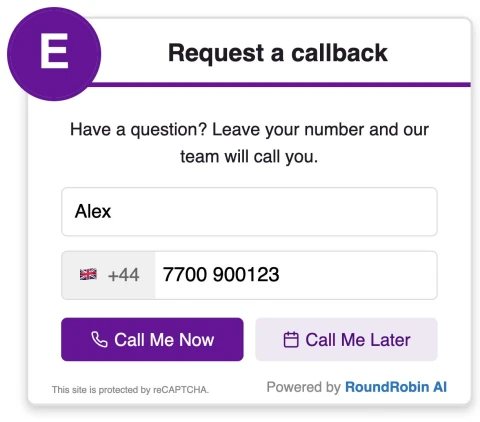

Offer immediate requests during staffed enquiry hours. Enable scheduling for available later slots around meetings or use schedule-only if your firm prefers planned conversations.
Place a callback invitation alongside your accountancy services so a visitor can discuss what they need. Your team accepts the call first, then speaks to the prospect and establishes the scope of the enquiry.
Decide which people can handle initial enquiries and configure their availability. Simultaneous ringing can suit a shared enquiry team; priority groups can try your first team before a backup group.
Offer available callback slots when scheduling is enabled. This gives visitors a next step during meeting-heavy periods without suggesting that an adviser is always free or that a consultation has already been booked.
Tell visitors what the conversation is for. Use wording that matches the enquiries your team is ready to handle.
The widget arranges a call attempt. It does not qualify clients, give tax advice or confirm an adviser appointment; your team handles those steps in the conversation.
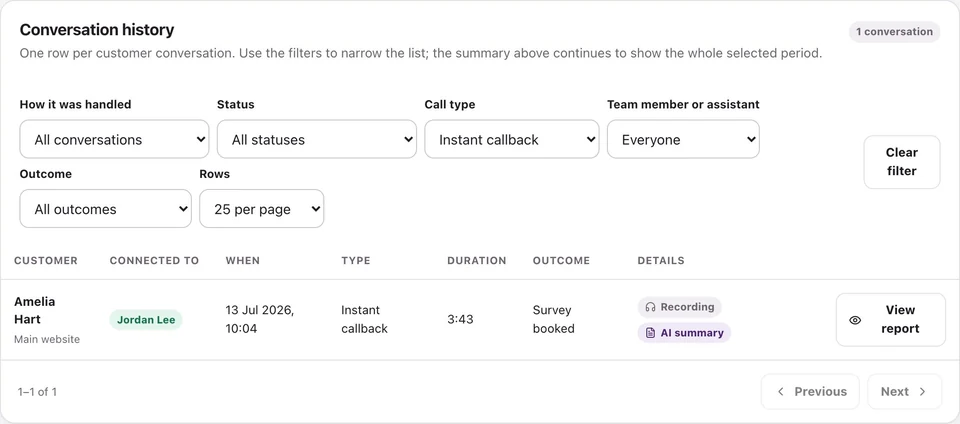
Review call activity and available recordings, transcripts and summaries.
Yes. Set your operating hours and team availability, and enable scheduling to offer available later slots. The options visitors see depend on those settings.
No. RoundRobin calls your team first. A team member must accept before the customer is called and the two sides can be connected.
Priority groups let you try one configured group before another. Choose that order in your routing settings; the widget does not infer a visitor’s accounting needs and select a specialist automatically.
RoundRobin calls your configured team first. A team member must accept before the customer is called. Connection depends on availability and both parties answering; an instant request does not guarantee an immediate conversation.
Yes, when scheduling is enabled and available slots are configured. Operating hours, recipient availability and your settings determine the options. Requesting a callback does not by itself confirm a service appointment.
Set your recipients, check availability and try the callback workflow before adding it to your website.
No setup fee. Email verification, plan selection and a payment card start your trial. Calls use credits at the applicable rates. See Pricing for current rules.
Want to make asking for reviews part of the routine?Reviews for accountants →