A completed service experience
Choose a moment after the person has experienced the clinic and has time to reflect. Keep the invitation focused on service, without encouraging disclosure of diagnoses, treatment or other sensitive information.
Review automation for healthcare clinics
Clear communication, reception and the overall visit matter to people choosing a clinic. Make asking about that experience a considered routine, with neutral messages, an appropriate contact process and no need to include clinical details in the request.
No setup fee. Verify your email, choose a plan and add a card to start your trial.
Use Reviews on its own. No callback widget needed.


Ask at a considered point after the service experience, following the clinic’s contact process. Coordinate across teams before adding returning patients again.
Choose a moment after the person has experienced the clinic and has time to reflect. Keep the invitation focused on service, without encouraging disclosure of diagnoses, treatment or other sensitive information.
Agree request moments with the relevant teams and use a consistent contact process. A person attending several services should not receive overlapping requests simply because separate teams maintain their own lists.
Start with a personal, neutral message. Replace the example business name and choose the destination before sending.
Feedback requests are not a substitute for clinical follow-up, safeguarding or complaint handling. Do not place clinical records in the request workflow.
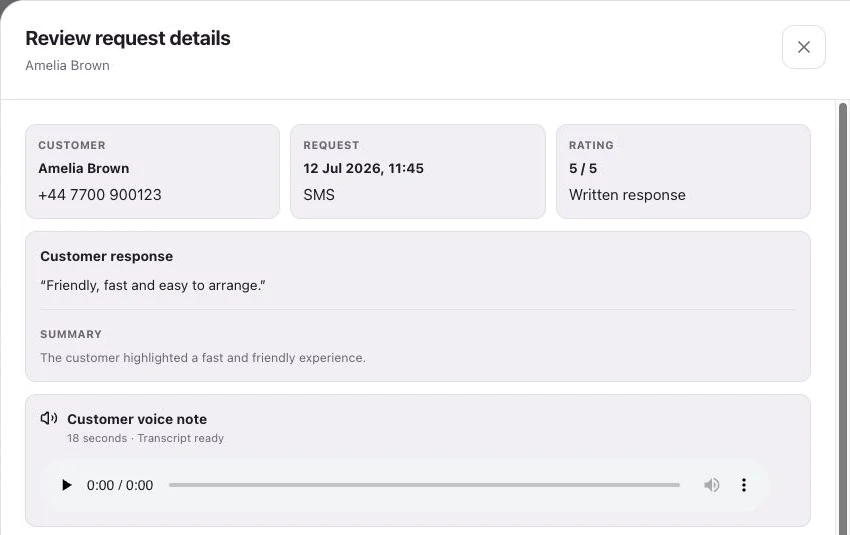
See request history, feedback and review-site clicks separately.
Yes. Use a neutral message about the clinic experience. Treatment details are not needed to make a recognisable review request.
Not by itself. Add ready contacts in the dashboard or a connected Google Sheet, or arrange an explicit workflow that supplies those contacts.
Customers follow your chosen link to Google, Trustpilot or another configured destination, or leave feedback on your branded RoundRobin page. They choose their own rating and words. RoundRobin feedback is never automatically posted to another platform.
Track the request history, review-site clicks and feedback received in RoundRobin. A click to a public review site does not confirm a published review. For direct links, reminders stop after a click; eligibility and timing rules apply.
Set up Reviews, choose your destination and send an individual request. Add automation when your routine is ready.
No setup fee. Email verification, plan selection and a payment card start your trial. Initial review-request SMS messages accepted for sending use credits from your plan. See Pricing for current rules.
Want website visitors to reach your team too?Callbacks for healthcare clinics →