A quote worth discussing
Let a visitor explain the job to someone who can ask the right questions and help with the next step.
Website callback widget
Let visitors request a callback from your website. RoundRobin calls your team first, then connects the customer when someone accepts. Enable scheduling to offer a convenient time for later.
No setup fee. Verify your email, choose a plan and add a card to start your trial.
Good help starts
with a conversation.
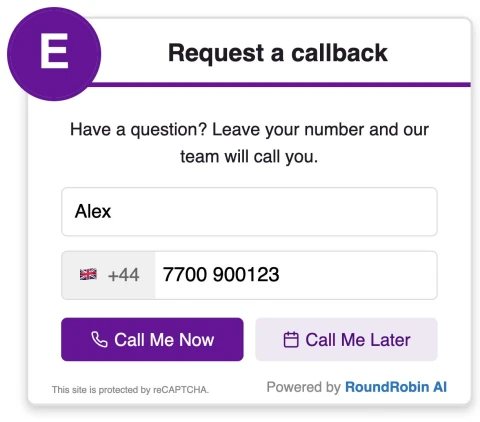


Follow an enquiry from the visitor’s first step to the call. Choose the journey that fits the way your business works.
Your visitor leaves their name and phone number in the widget, then requests a callback.
Illustrative walkthrough. No calls are placed or details saved.
Your team accepts before the visitor is called.
Both people answer.
One conversation begins.
Example outcome. Recordings and AI summaries appear when available.
Choose an available callback slot
Example availability · Europe/London
Your callback is scheduled
Illustrative booking confirmation
The same team-first flow, at the chosen time.
The outcome stays in your dashboard
for the next step.
1 of 4 · The request
One person or a whole team: choose how requests reach the people available to take them.
Call available team members at the same time. The first person to accept handles the callback.
Try a priority group first, then fall back to the next group if nobody accepts.
Try available team members
Give another team the opportunity
Example of priority-group routing. Availability and your settings determine who is called.
Scheduling must be enabled. The options shown depend on your configured availability.
Give visitors a way to request a conversation at a time your team can handle.
Set your business hours and team availability. Scheduling then offers suitable slots, with configured calendar rules and date exceptions taken into account.
Explore the callback journeyFind your calls in one place. Open a conversation to see its outcome, routing attempts and the information available for follow-up.
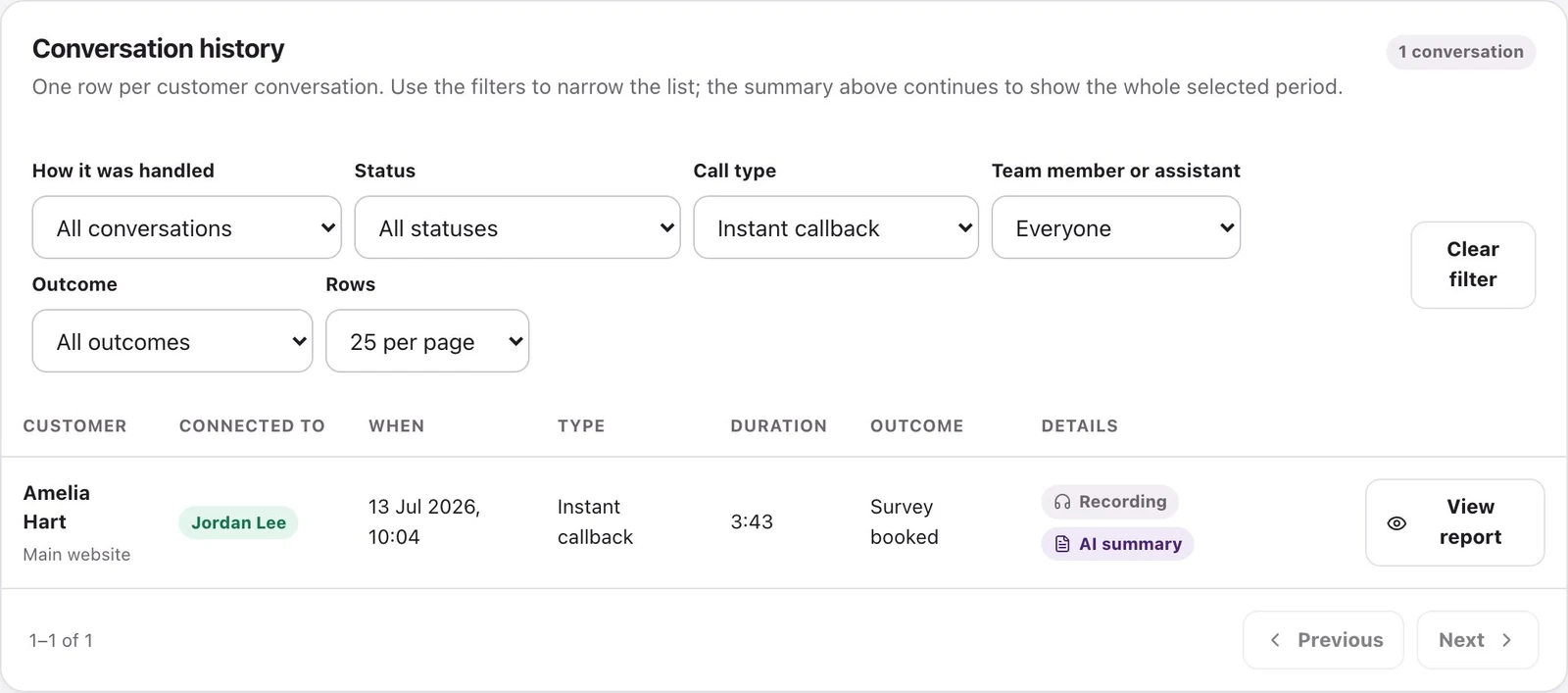
See connected and unconnected requests, with the details behind each outcome.
Review available recordings, transcripts and AI summaries to help your team follow up.
Check which agents were tried and who accepted the call.
Let a visitor explain the job to someone who can ask the right questions and help with the next step.
Connect consultation and appointment enquiries to your team when a conversation will help.
Offer an available time for later so the visitor has a way to arrange a call while you are away.
Stories from businesses already using RoundRobin callbacks.

84 new calls in three months, turning more website enquiries into conversations.
Visit Flowerhouse
Faster responses to website enquiries, helping more visitors speak with the team.
Visit SwainstonsA short setup, with the controls to make it yours.
Add your website. Choose your logo, colours, wording and where the widget appears.
Add the people who take calls. Set your hours, routing and scheduling options.
Copy the installation script from your dashboard. Check the visitor experience and your call flow.
Start with Callback Widget. Set it up around the people and hours you already have.
No setup fee. Email verification, plan selection and a payment card start your trial.
Calls use your plan’s credits. Usage depends on call duration and destination.
Choose a plan and check the current credit rules on Pricing. A callback request does not guarantee a connected conversation.
Make it easier for a website visitor to talk to you.
Start your 14-day trial No setup fee. Verify your email, choose a plan and add a card.