A considered engagement milestone
Choose the request point with the responsible team and give the client time to reflect. Do not make a favourable settlement or a likely positive rating the condition for inviting feedback.
Review automation for personal injury solicitors
A client can describe communication and support without sharing the details of an injury or claim. Build review requests around a considered engagement milestone, using a discreet invitation that welcomes honest feedback and does not depend on the case outcome.
No setup fee. Verify your email, choose a plan and add a card to start your trial.
Use Reviews on its own. No callback widget needed.


Ask at an agreed engagement milestone when the client can reflect on the service. Avoid repeated requests during an ongoing claim and do not select contacts by outcome.
Choose the request point with the responsible team and give the client time to reflect. Do not make a favourable settlement or a likely positive rating the condition for inviting feedback.
Use a sensible cadence across a claim that may involve many updates. Check request history and keep medical information, other parties and claim values out of the contact list and message.
Start with a personal, neutral message. Replace the example business name and choose the destination before sending.
Reviews does not handle claims or replace confidential client communications. Review examples and messages should not expose injuries, claim values or case details.
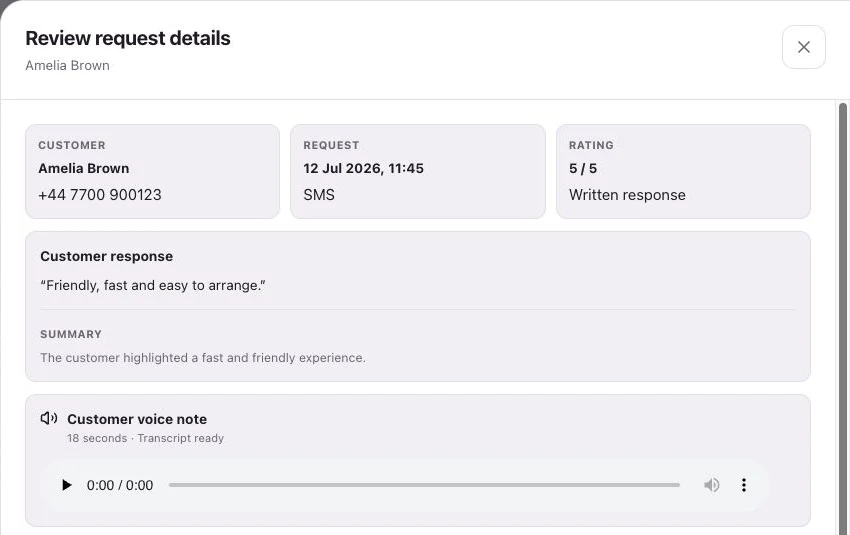
See request history, feedback and review-site clicks separately.
No. Use a neutral invitation about the experience with your firm. Let the client decide what to say without prompting disclosure of sensitive details.
Only through an explicit workflow that adds ready contacts. The supported starting points are the dashboard and a connected Google Sheet.
Customers follow your chosen link to Google, Trustpilot or another configured destination, or leave feedback on your branded RoundRobin page. They choose their own rating and words. RoundRobin feedback is never automatically posted to another platform.
Track the request history, review-site clicks and feedback received in RoundRobin. A click to a public review site does not confirm a published review. For direct links, reminders stop after a click; eligibility and timing rules apply.
Set up Reviews, choose your destination and send an individual request. Add automation when your routine is ready.
No setup fee. Email verification, plan selection and a payment card start your trial. Initial review-request SMS messages accepted for sending use credits from your plan. See Pricing for current rules.
Want website visitors to reach your team too?Callbacks for personal injury solicitors →