A completed joining experience
Wait until the chosen onboarding milestone is complete and the customer has enough experience to comment. An initial form submission alone is not the same as experiencing the service.
Review automation for energy suppliers
Customers experience your team through joining, renewals and support conversations. Choose a completed service interaction as the request moment, then invite honest feedback about that experience without implying that a review says everything about the ongoing supply relationship.
No setup fee. Verify your email, choose a plan and add a card to start your trial.
Use Reviews on its own. No callback widget needed.


Ask after a defined onboarding, renewal or service milestone, once the customer can reflect on that experience. Keep invitations consistent rather than selecting by expected satisfaction.
Wait until the chosen onboarding milestone is complete and the customer has enough experience to comment. An initial form submission alone is not the same as experiencing the service.
Ask at a defined completed interaction or relationship milestone. Apply that process consistently, keep official complaint routes separate and avoid repeatedly inviting the same customer after each contact.
Start with a personal, neutral message. Replace the example business name and choose the destination before sending.
Reviews does not manage supply accounts or replace support and complaints processes. Your customer systems need an explicit workflow to add ready contacts.
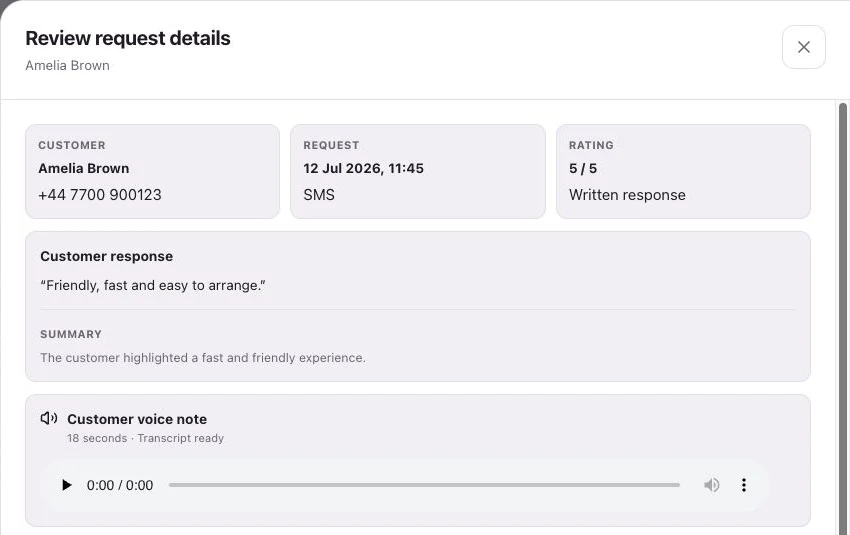
See request history, feedback and review-site clicks separately.
Keep the purposes clear. A review request invites feedback; it does not resolve an account issue or replace your established support and complaint routes.
No. A click records a visit to the destination. It does not establish that a review was published, and external publishing is not automatic.
Customers follow your chosen link to Google, Trustpilot or another configured destination, or leave feedback on your branded RoundRobin page. They choose their own rating and words. RoundRobin feedback is never automatically posted to another platform.
Track the request history, review-site clicks and feedback received in RoundRobin. A click to a public review site does not confirm a published review. For direct links, reminders stop after a click; eligibility and timing rules apply.
Set up Reviews, choose your destination and send an individual request. Add automation when your routine is ready.
No setup fee. Email verification, plan selection and a payment card start your trial. Initial review-request SMS messages accepted for sending use credits from your plan. See Pricing for current rules.
Want website visitors to reach your team too?Callbacks for energy suppliers →