An appointment question
Let reception discuss the enquiry and check your normal booking system after a call connects. Selecting a callback slot should not appear to reserve an eye-test appointment.
Website callbacks for opticians
Visitors may want to ask about an appointment, discuss a collection or understand the next step before visiting. Offer a callback with clear practice hours, so reception can handle the conversation around the people already in the practice.
No setup fee. Verify your email, choose a plan and add a card to start your trial.
Your team accepts first. Then we call the customer.
A conversation starts here.
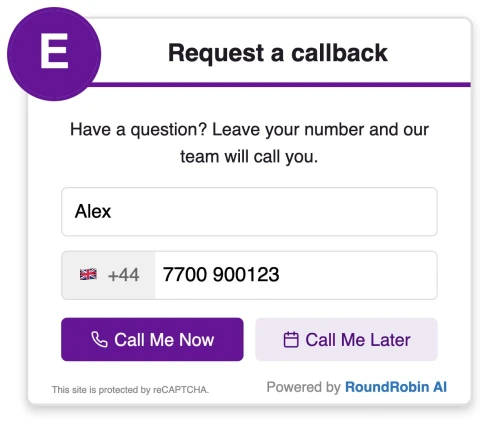

Offer calls during staffed hours and available later slots only when scheduling is enabled. Make clear that the selected time is for a call.
Let reception discuss the enquiry and check your normal booking system after a call connects. Selecting a callback slot should not appear to reserve an eye-test appointment.
Choose the staff who can take initial enquiries and configure their availability. A shared group or a reception-first priority group can help organise who is tried without assuming that every staff member can answer every question.
Tell visitors what the conversation is for. Use wording that matches the enquiries your team is ready to handle.
The widget does not provide clinical assessment, book an eye test or replace urgent-contact guidance. Your practice handles those routes separately.
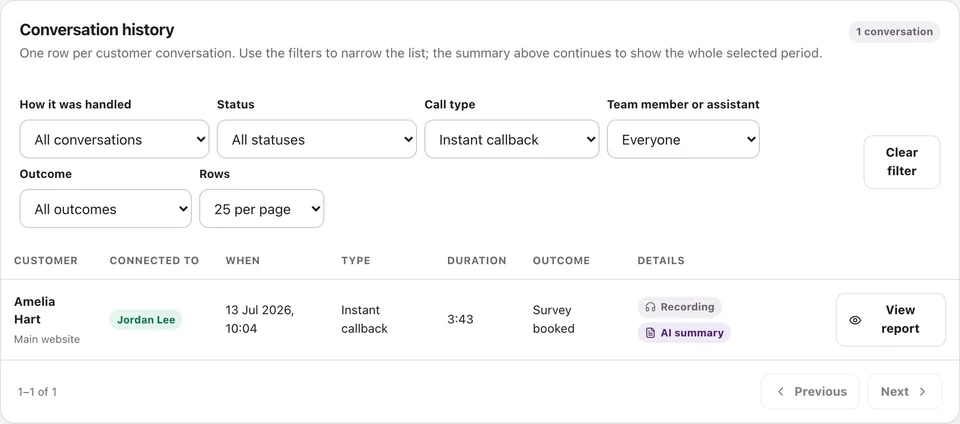
Review call activity and available recordings, transcripts and summaries.
They can choose an available later slot when scheduling is enabled. Your configured hours and availability determine what is offered.
Do not assume an appointment-system connection. The widget requests a conversation; reception checks and confirms any appointment through your usual process.
RoundRobin calls your configured team first. A team member must accept before the customer is called. Connection depends on availability and both parties answering; an instant request does not guarantee an immediate conversation.
Yes, when scheduling is enabled and available slots are configured. Operating hours, recipient availability and your settings determine the options. Requesting a callback does not by itself confirm a service appointment.
Set your recipients, check availability and try the callback workflow before adding it to your website.
No setup fee. Email verification, plan selection and a payment card start your trial. Calls use credits at the applicable rates. See Pricing for current rules.
Want to make asking for reviews part of the routine?Reviews for opticians →