A job that needs a few questions
Use the conversation to understand collection and delivery requirements, access and dates. Your team decides what else is needed for a quote; the widget does not calculate load size or availability.
Website callbacks for man with a van services
Access, timing and what needs moving can be hard to capture in a quick website visit. Offer customers a callback to discuss the job, with availability that reflects loading, driving and the times your team can safely handle enquiries.
No setup fee. Verify your email, choose a plan and add a card to start your trial.
Your team accepts first. Then we call the customer.
A conversation starts here.
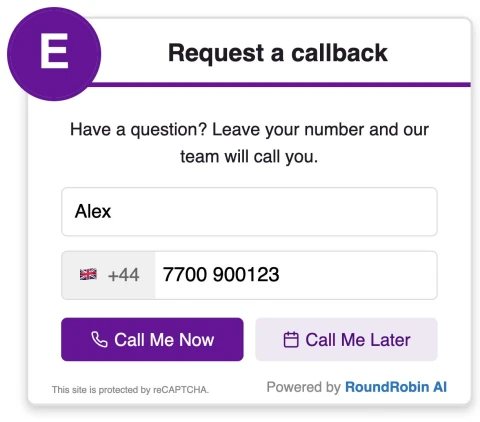

Offer calls during safe, staffed enquiry periods. Use enabled scheduling for available later times around driving and loading.
Use the conversation to understand collection and delivery requirements, access and dates. Your team decides what else is needed for a quote; the widget does not calculate load size or availability.
Route requests to office cover where available, or set times when someone can stop and speak safely. Enabled later slots give visitors a next step while you are driving or loading.
Tell visitors what the conversation is for. Use wording that matches the enquiries your team is ready to handle.
A callback does not reserve a van, confirm a date or provide a final quote. Your team checks the job details and capacity before agreeing a booking.
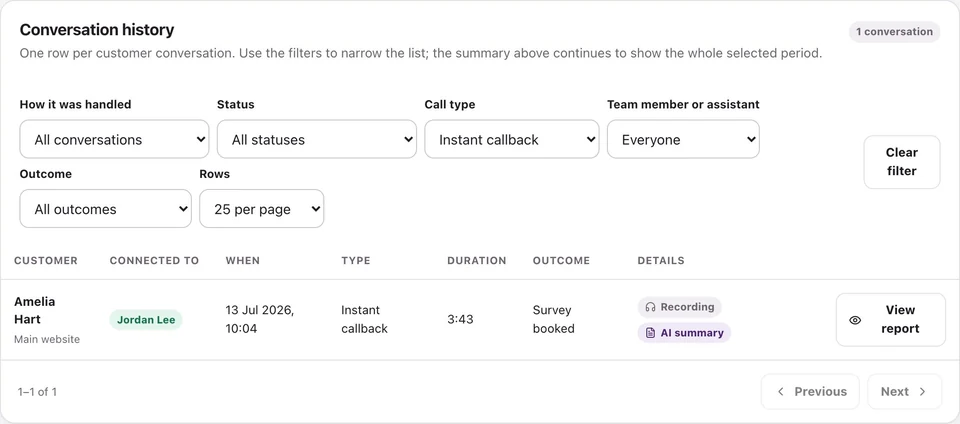
Review call activity and available recordings, transcripts and summaries.
No. It is a time for a conversation. Your team separately confirms the move, vehicle availability and quotation.
Set availability around times you can safely handle enquiries, or use an office recipient. The customer is called only after a team member accepts; enabled scheduling can offer later slots.
RoundRobin calls your configured team first. A team member must accept before the customer is called. Connection depends on availability and both parties answering; an instant request does not guarantee an immediate conversation.
Yes, when scheduling is enabled and available slots are configured. Operating hours, recipient availability and your settings determine the options. Requesting a callback does not by itself confirm a service appointment.
Set your recipients, check availability and try the callback workflow before adding it to your website.
No setup fee. Email verification, plan selection and a payment card start your trial. Calls use credits at the applicable rates. See Pricing for current rules.
Want to make asking for reviews part of the routine?Reviews for man with a van services →