A supply or renewal conversation
Use the call to understand the enquiry and explain your usual process. Any account verification, pricing or contract decisions remain with your team and systems.
Website callbacks for energy suppliers
Visitors may want to discuss joining, renewing or the next step in an account enquiry. Offer a callback for the team and purpose you can support, with calling hours that reflect capacity and clear signposting for existing support and urgent-contact needs.
No setup fee. Verify your email, choose a plan and add a card to start your trial.
Your team accepts first. Then we call the customer.
A conversation starts here.
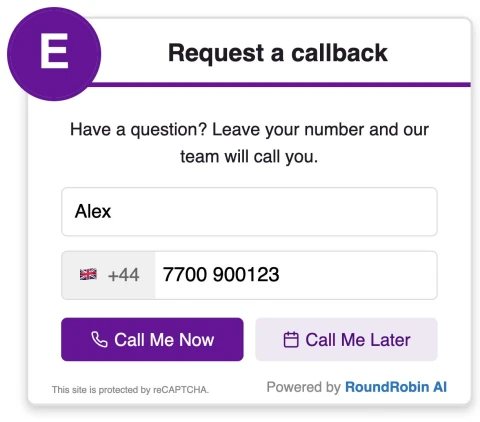

Offer calls during cover for the chosen enquiry purpose. Enabled scheduling can provide available later times when the team is unavailable.
Use the call to understand the enquiry and explain your usual process. Any account verification, pricing or contract decisions remain with your team and systems.
Configure appropriate recipients and realistic enquiry hours. Enabled scheduling can offer available later conversations; do not present the widget as a replacement for urgent supply or safety contact routes.
Tell visitors what the conversation is for. Use wording that matches the enquiries your team is ready to handle.
The widget does not switch supply, change a tariff, verify an account or handle an emergency. A callback request does not confirm an account action or outcome.
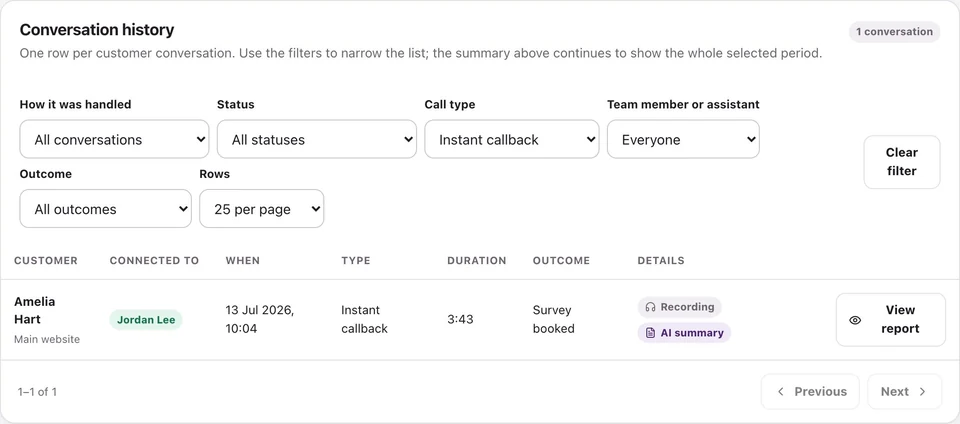
Review call activity and available recordings, transcripts and summaries.
No. It requests a conversation. Your team handles identity checks, terms and any account action through the established process.
Do not present a callback as an urgent response. Keep your existing emergency and urgent-support instructions clearly accessible.
RoundRobin calls your configured team first. A team member must accept before the customer is called. Connection depends on availability and both parties answering; an instant request does not guarantee an immediate conversation.
Yes, when scheduling is enabled and available slots are configured. Operating hours, recipient availability and your settings determine the options. Requesting a callback does not by itself confirm a service appointment.
Set your recipients, check availability and try the callback workflow before adding it to your website.
No setup fee. Email verification, plan selection and a payment card start your trial. Calls use credits at the applicable rates. See Pricing for current rules.
Want to make asking for reviews part of the routine?Reviews for energy suppliers →